Pages

Sunday, September 23, 2012

Edypository has moved

This blog has moved, you are about to be redirected...


Hi guys,
I now have a new website located at http://www.edmundyeung.com
This website contains two separate blogs:

Why?
It was a good chance to use some exciting new technologies; My new website was built using Orchard and hosted on Windows Azure.

What will happen to this Blogger website?
Nothing. I'll leave this site as it is, its got enough visitors that I don't think Google is going to shut it down, so any existing links to this site should continue to work. But I do plan on migrating some of the content over to my new site. I haven't decided whether there will be a link or a redirect to the new page.

Monday, November 15, 2010

Snow Season 2010 Rookie Report

This year was my first year Snowboarding. Managed to get up the mountain 5 times, and Snowplanet twice.

I learnt some of the basic skills: falling leaf, stopping, linking turns. I even decided to buy my own set of gear: gloves, pants, jackets, helmet, goggles, boots, snowboard, bindings. Below I will make a few suggestions to anyone out there who wants to start snowboarding, and get their own gear.

Learn How To Snowboard


  1. First you want to be prepared and have appropriate gear. You don't need all the proper stuff, especially if you're not sure whether you'll be doing it again. I went in some sports track pants, a down jacket, and a beanie. I rented the board, boots and bindings, which is a pretty standard thing to do and fairly affordable ($45 on the mountain and $25 at the bottom). The one thing I did buy though, were the gloves. I bought a cheap pair for $20 will do. You just gotta make sure your stuff is water proof.

  2. The next thing to consider as you go up the mountain is a lesson, either from the instructors, or a nice friend.

  3. Now the first thing you gotta figure out is whether you are regular or goofy. I knew I was regular from my skateboarding days, but its up to you to experiment. The best way is to see which foot you lead with if you were to run and slide along the ground. If its your left foot, you're regular, if its your right, you're goofy.

  4. When you get on your board, you're gonna want to learn to travel around with one foot in the bindings. This is how snowboards get around the lifts and things.

  5. Then its time to learn the falling leaf, which involves balancing on the board and traveling down the mountain with the board perpendicular to the way you are traveling. Get practice on both heelside and toeside. When going down front first (and with your back to the top of the mountain), its called heelside as you lift your toes and balance on your heel. Toeside is when you balance facing up the mountain, balancing on your toes. As you get more confident, try leaning left and right to follow a "falling leaf" path.

  6. Now its time to learn to turn. The hardest thing I had to get used to here was leaning forward and keeping my weight on my front foot. I had the tendency (as many beginners do) to lean back which doesn't give you enough control. To turn from heelside to toe side, shift your weight forward and rotate around until your weight is on your toes. This should swing your board including your back foot such that you will now be facing the other way, going down the mountain toeside. To go from toe to heel, do the same but rotate the other way.

  7. After getting used to turning, try linking the turns from left to right to form an "S" path down the mountain.

  8. And thats it! well thats all I learnt. Next season I'll be practicing my switching, and traversing the mountain fakie. I also want to learn ollies and rails.

Buying gear


  • Snowboarding gear can be expensive, especially the latest gear. With everything combined, and the cost of travel/accommodation, snowboard can be expensive.

  • If you want to get everything, expect to pay some $1000+ for new gear. Thats assuming $600 on board, boots, bindings, and the rest on clothes. Thats very good new gear, but last seasons, or on discount pricing. Expect to pay double that if you get it at the start of the season. You can make heavy savings by buying second hand. You might be able to get a complete package (board boots bindings) for under $150-$200, and spend around $200-$300 on the rest of your clothes.

  • The two most important pieces of equipment are boots and gloves. No matter what kind of snowboard or bindings you have, if your boots suck, so will you. Boots that fit and are comfortable go a long way towards your snowboarding experience so don't go cheap here. Chose from a descent brand, and try them on a shops to get a feel for them. Then try and buy them online where it might be cheaper. As for gloves, get some good waterproof ones. Having wet and cold hands can make you seriously miserable. I found a good cheap pair of Gore-tex gloves ($50). Gore-tex is a fabric that guarantees to keep you dry, and from my experience, it has lived up to its hype.

  • Board and Bindings. There are a tonne of manufacturers and brands out there, and a lot of different types of boards. Do some research, if you can try some and demos, rentals, shops and see what style you like. If I could chose my next board, it would be a Bataleon.

  • Getting goggles is not absolutely necessary, but its good for keeping wind and snow out, and does work better than sunnies by themselves.

Thursday, November 4, 2010

C# Email Helper for sending out HTML Emails with data

Summary


The following article contains code to send data via a dictionary to a Mail Helper which builds an html email based on an Email template defined by a user control.

Premise


At work, I have had to build websites which send out html emails. We already had some code which loaded a user control into an html writer, which gave a html string to be placed in the html body for sending .Net mail. I wanted to abstract the logic out so that I could reuse it in any of my projects without having to modify all the parameters etc.

Essentially the things that were different were the HTML template, and the data to be bound to the template. Everything else; the building, the sending all had the same logic.

The Code


First we have the MailHelper class, which will build and send the email. We pass in the path of the email template, and basic email parameters such as to, from and subject. The dictionary is a string object pair for convenience. Use the string as a key to reference your objects similar to a ViewState or ViewModel.

Then you will see the EmailControl class which extends UserControl. We want to place a method there for setting the key value pairs. And then we want all Email templates to extend from this class.


public static class MailHelper
    {

        public static void SendEmail(string controlPath, 
                                     string to, 
                                     string from, 
                                     string subject, 
                                     Dictionary<string, object> keyValuePairs)
        {
            var body = GenerateContactEmailBody(controlPath, keyValuePairs);
 
            var officeMessage = new MailMessage(from, to)
            {
                Subject = subject,
                IsBodyHtml = true,
                Body = body
            };
 
            var client = new SmtpClient();
 
            client.Send(officeMessage);
        }
 
        private static string GenerateContactEmailBody(string path, 
                                  Dictionary<string, object> keyValuePairs)
        {
            Page pageHolder = new Page();
            var emailControl = (EmailControl)pageHolder.LoadControl(path);
            emailControl.SetKeyValuePairs(keyValuePairs);
            var writer = new StringWriter(CultureInfo.CurrentCulture);
            emailControl.RenderControl(new Html32TextWriter(writer));
            return writer.ToString();
        }
    }
 
    public class EmailControl : System.Web.UI.UserControl
    {
        public virtual void SetKeyValuePairs(Dictionary<string,object> value)
        {
            throw new NotImplementedException();
        }
    }

So now we can create a new HTML Email template. Create a new UserControl, make this extend EmailControl instead of extending UserControl directly. Then override the SetKeyValuePairs method. In my example below, I have a ContactUs email template where I accept values for Name, Email, Telephone, and Question. These are all strings but could have been other objects.

Then in my ascx file, I create the html template as per a design, and bind the properties where they are needed. The override for RenderControl is needed when we generate the html in the MailHelper.

public partial class ContactUs : EmailControl
    {
 
        public override void SetKeyValuePairs(Dictionary<string, object> value)
        {
            Name = value["Name"].ToString();
            Email = value["Email"].ToString();
            Telephone = value["Telephone"].ToString();
            Question = value["Question"].ToString();
        }
 
 
        public string Name { get; set; }
 
        public string Email { get; set; }
 
        public string Telephone { get; set; }
 
        public string Question { get; set; }
 
        public override void RenderControl(HtmlTextWriter writer)
        {
            DataBind();
            base.RenderControl(writer);
        }
    }

Finally, the bit of code which I call on my page which actually calls the MailHelper and sends out the email.

var kvp = new Dictionary<string, object>();
            kvp.Add("Name", name);
            kvp.Add("Email", email);
            kvp.Add("Telephone", telephone);
            kvp.Add("Question", question);
 
            var to = ConfigurationManager.AppSettings["ContactTo"];
            var from = ConfigurationManager.AppSettings["ContactFrom"];
            var subject = ConfigurationManager.AppSettings["ContactSubject"];
 
            MailHelper.SendEmail("~/ContactUs.ascx", to, from, subject, kvp);

Sunday, October 17, 2010

C# Random Password Generator

This blog post has moved to my new blog, you are about to be redirected...


In an earlier post, I wrote a Random Password Generator class intended for anyone interested to plug into their application.

Following some input I received, I have refactored the code a bit:

using System;
using System.Security.Cryptography;


namespace Security
{

    public class RandomPasswordGenerator
    {
        // Define default password length.
        private static int DEFAULT_PASSWORD_LENGTH = 8;

        //No characters that are confusing: i, I, l, L, o, O, 0, 1, u, v

        public static string PASSWORD_CHARS_ALPHA = 
                                "abcdefghjkmnpqrstwxyzABCDEFGHJKMNPQRSTWXYZ";
        public static string PASSWORD_CHARS_NUMERIC = "23456789";
        public static string PASSWORD_CHARS_SPECIAL = "*$-+?_&=!%{}/";
        public static string PASSWORD_CHARS_ALPHANUMERIC = 
                                PASSWORD_CHARS_ALPHA + PASSWORD_CHARS_NUMERIC;
        public static string PASSWORD_CHARS_ALL = 
                                PASSWORD_CHARS_ALPHANUMERIC + PASSWORD_CHARS_SPECIAL;
        
        //These overloads are only necesary in versions of .NET below 4.0
        #region Overloads

        /// 
        /// Generates a random password with the default length.
        /// 
        /// Randomly generated password.
        public static string Generate()
        {
            return Generate(DEFAULT_PASSWORD_LENGTH,
                            PASSWORD_CHARS_ALL);
        }

        /// 
        /// Generates a random password with the default length.
        /// 
        /// Randomly generated password.
        public static string Generate(string passwordChars)
        {
            return Generate(DEFAULT_PASSWORD_LENGTH, 
                            passwordChars);
        }

        /// 
        /// Generates a random password with the default length.
        /// 
        /// Randomly generated password.
        public static string Generate(int passwordLength)
        {
            return Generate(passwordLength,
                            PASSWORD_CHARS_ALL);
        }

        /// 
        /// Generates a random password.
        /// 
        /// Randomly generated password.
        public static string Generate(int passwordLength,
                                      string passwordChars)
        {
            return GeneratePassword(passwordLength, 
                                    passwordChars);
        }

        #endregion


        /// 
        /// Generates the password.
        /// 
        /// 
        private static string GeneratePassword(int passwordLength,
                                               string passwordCharacters)
        {
            if (passwordLength < 0) 
                throw new ArgumentOutOfRangeException("Password Length");

            if (string.IsNullOrEmpty(passwordCharacters)) 
                throw new ArgumentOutOfRangeException("Password Characters");
            
            var password = new char[passwordLength];

            var random = GetRandom();

            for (int i = 0; i < passwordLength; i++)
                password[i] = passwordCharacters[
                                          random.Next(passwordCharacters.Length)];

            return new string(password);
        }


        /// 
        /// Gets a random object with a real random seed
        /// 
        /// 
        private static Random GetRandom()
        {
            // Use a 4-byte array to fill it with random bytes and convert it then
            // to an integer value.
            byte[] randomBytes = new byte[4];

            // Generate 4 random bytes.
            new RNGCryptoServiceProvider().GetBytes(randomBytes);

            // Convert 4 bytes into a 32-bit integer value.
            int seed = (randomBytes[0] & 0x7f) << 24 |
                        randomBytes[1] << 16 |
                        randomBytes[2] << 8 |
                        randomBytes[3];

            // Now, this is real randomization.
            return new Random(seed);
        }


    }
}


Thursday, September 30, 2010

What are TFS Labels for?

Just some interesting reading in the following links:

http://iworkonsoftware.blogspot.com/2010/04/tfs-labels.html

http://www.notionsolutions.com/notionmedia/articles/Pages/VirtuesandPitfallsoftheTFSLabel.aspx

How do you use TFS Labels?

Thursday, September 9, 2010

C# ASP.NET CheckBoxList selecting items on OnDataBinding doesn't work, set it on OnDataBound instead

When I try to bind some objects to a CheckBoxList in the OnDataBinding method, it never seems to select it when I tell it to do so:

protected override void OnDataBinding(EventArgs e)
 {
    base.OnDataBinding(e);
 
    chkBxLstProducts.DataSource = Product.GetAll();
    chkBxLstProducts.DataBind();
 
    foreach (var item in chkBxLstProducts.Items.Cast())
    {
         item.Selected = ((ICollection)FieldValue).Cast()
                         .Any(p => p.ProductId == Convert.ToInt32(item.Value));
    }
 }


When I move the selection code into the OnDataBound method, it works:

protected override void OnDataBinding(EventArgs e)
 {
    base.OnDataBinding(e);
    
    chkBxLstProducts.DataSource = Product.GetAll();
    chkBxLstProducts.DataBind();
 }

 protected void OnDataBound(object sender, EventArgs e)
 {
    foreach (var item in chkBxLstProducts.Items.Cast())
    {
        item.Selected = ((ICollection)FieldValue).Cast()
                        .Any(p => p.ProductId == Convert.ToInt32(item.Value));
    }
 }


I’m not 100% sure, but I think it’s because the OnDataBinding event occurs before the CheckBoxList is rendered. So after it’s rendered, everything is wiped clean and we lose the selection. Selecting items after OnDataBound ensures it gets rendered.

Tuesday, September 7, 2010

C# Random Password Generator

Below is a class for you to plug into your projects.

It generates random passwords by using actual random seed and omits those pesky letters that look similar to one another.

You can reuse the class by passing in options such as password length and the different characters you want to include. And since its the source code, you can extend/adapt it to your needs.

Enjoy

This blog post has moved to my new blog, you are about to be redirected...


using System;
using System.Security.Cryptography;
 
 
namespace Security
{
    public enum RandomPasswordOptions
    {
        Alpha = 1,
        Numeric = 2,
        AlphaNumeric = Alpha + Numeric,
        AlphaNumericSpecial = 4
    }
 
    public class RandomPasswordGenerator
    {
        // Define default password length.
        private static int DEFAULT_PASSWORD_LENGTH = 8;
 
        //No characters that are confusing: i, I, l, L, o, O, 0, 1, u, v
 
        private static string PASSWORD_CHARS_Alpha = 
                                   "abcdefghjkmnpqrstwxyzABCDEFGHJKMNPQRSTWXYZ";
        private static string PASSWORD_CHARS_NUMERIC = "23456789";
        private static string PASSWORD_CHARS_SPECIAL = "*$-+?_&=!%{}/";
 
        #region Overloads
 
        /// 
        /// Generates a random password with the default length.
        /// 
        /// Randomly generated password.
        public static string Generate()
        {
            return Generate(DEFAULT_PASSWORD_LENGTH, 
                            RandomPasswordOptions.AlphaNumericSpecial);
        }
 
        /// 
        /// Generates a random password with the default length.
        /// 
        /// Randomly generated password.
        public static string Generate(RandomPasswordOptions option)
        {
            return Generate(DEFAULT_PASSWORD_LENGTH, option);
        }
 
        /// 
        /// Generates a random password with the default length.
        /// 
        /// Randomly generated password.
        public static string Generate(int passwordLength)
        {
            return Generate(DEFAULT_PASSWORD_LENGTH, 
                            RandomPasswordOptions.AlphaNumericSpecial);
        }
 
        /// 
        /// Generates a random password.
        /// 
        /// Randomly generated password.
        public static string Generate(int passwordLength, 
                                      RandomPasswordOptions option)
        {
            return GeneratePassword(passwordLength, option);
        }
 
        #endregion
 
 
        /// 
        /// Generates the password.
        /// 
        /// 
        private static string GeneratePassword(int passwordLength, 
                                               RandomPasswordOptions option)
        {
            if (passwordLength < 0) return null;
 
            var passwordChars = GetCharacters(option);
 
            if (string.IsNullOrEmpty(passwordChars)) return null;
 
            var password = new char[passwordLength];
 
            var random = GetRandom();
 
            for (int i = 0; i < passwordLength; i++)
            {
                var index = random.Next(passwordChars.Length);
                var passwordChar = passwordChars[index];
 
                password[i] = passwordChar;
            }
 
            return new string(password);
        }


        /// 
        /// Gets the characters selected by the option
        /// 
        /// 
        private static string GetCharacters(RandomPasswordOptions option)
        {
            switch (option)
            {
                case RandomPasswordOptions.Alpha:
                    return PASSWORD_CHARS_Alpha;
                case RandomPasswordOptions.Numeric:
                    return PASSWORD_CHARS_NUMERIC;
                case RandomPasswordOptions.AlphaNumeric:
                    return PASSWORD_CHARS_Alpha + PASSWORD_CHARS_NUMERIC;
                case RandomPasswordOptions.AlphaNumericSpecial:
                    return PASSWORD_CHARS_Alpha + PASSWORD_CHARS_NUMERIC + 
                                 PASSWORD_CHARS_SPECIAL;
                default:
                    break;
            }
            return string.Empty;
        }
        
        /// 
        /// Gets a random object with a real random seed
        /// 
        /// 
        private static Random GetRandom()
        {
            // Use a 4-byte array to fill it with random bytes and convert it then
            // to an integer value.
            byte[] randomBytes = new byte[4];
 
            // Generate 4 random bytes.
            RNGCryptoServiceProvider rng = new RNGCryptoServiceProvider();
            rng.GetBytes(randomBytes);
 
            // Convert 4 bytes into a 32-bit integer value.
            int seed = (randomBytes[0] & 0x7f) << 24 |
                        randomBytes[1] << 16 |
                        randomBytes[2] << 8 |
                        randomBytes[3];
 
            // Now, this is real randomization.
            return new Random(seed);
        }
 
 
    }
}

Thursday, August 12, 2010

Priorities

God doesn't demand I accomplish great things, He demands I strive for excellent relationships.

He doesn't care that I create great Software, but achieve great relationships.

Thursday, August 5, 2010

Browser Testing in IE 5,6,7,8

I found a neat little tool for doing browser testing on all the IE browsers.

http://www.my-debugbar.com/wiki/IETester/HomePage

You can easily open sites in each of the browsers in individual tabs. I needed to use this after trying out the IE Collection and my computer wouldn't run it because of some malware. compatibility

Monday, August 2, 2010

CSS Gradient that works cross browsers

Found this site very interesting.

http://www.webdesignerwall.com/tutorials/cross-browser-css-gradient/

Sunday, July 25, 2010

Funny iPhone 4 Ad


My New Phone: Nokia X6


So I recently bought a new phone, the Nokia X6 and wanted to share with you why I bought it and how I feel about the phone so far. Before this one, I had an old Samsung which was 2G. So this is my first smart phone and runs 3G (3.5G if you want to get technical).

The main candidates I had were Nokia X6, Google Nexus One and HTC Desire. The iPhone 3GS was not in the running because of its price being similar to the Desire, but not having as good specs. And I also just don't like the way Apple runs your life with iTunes.

So why didn't I get the Nexus One or Desire? The main factor was price. These two phones are priced between $800-$1000 depending on where you get them. And my personal opinion is that the Android OS is just not quite mature enough to warrant such a high price. With Google continuing their success of the Chrome OS, I can forsee that in a few years time, Chrome and Android will overlap and mobile phones will be much more like laptops. But back to today, its still a little way off.

The Nokia X6 won because I was able to get it from Gadgets Online for $560, and the phone comes with Ovi Maps, Nokia's free GPS Navigation software. It is by far the best GPS Navigation software available due it being completely free. You get access to all the maps of the world, plenty of different voices and languages - you can even record your own voice. Currently Google Maps navigation doesn't allow turn-by-turn navigation in New Zealand, and you have to be Online to access it. Ovi Maps has both online and offline modes - just download the maps while your on wifi.

I have to admit, the rest of the phone's features are average for a smart phone, nothing spectacular. Not quite as friendly as the iphone or android devices, but at the same time, those features aren't really worth the premium of $400-$500 extra.

So if GPS Navigation is a big thing, and your on a tight budget, Nokia phones are the way to go. And I would recomend the X6. It will take some time to get used to it coming from a non-smart-non-touch-screen phone, but I got there after a few days. But if you have money to burn, get the Nexus One, and spend another $120 for a GPS Navigation software that gives you offline maps. The Nexus One beats the Desire because it will get all the updates from Google, especially the upcoming and highly anticipated Android 3.0 which might just kill the iPhone...

Tuesday, July 13, 2010

.NET Deploy Multiple Assemblies (DLL) to the GAC

If you have too many assemblies you need to deploy to the GAC, and you can't drag and drop due to administrative rights, you can go through the Visual Studio Command Prompt.

Run Visual Studio Command Prompt in Administrator mode.

Change directory to the folder containing all the assemblies - its easy to just copy all the DLLs you need into some new folder and point it there.

Run the following:

FOR %1 IN (*) DO Gacutil /i %1

Saturday, July 10, 2010

Go Spain!

Although I love the Netherlands, and even though Spain beat my beloved Germany... if Spain wins the World Cup, New Zealand will be the ONLY unbeaten team.  Imagine that.

Friday, July 9, 2010

New Look Miami Heat: Dwyane Wade, Chris Bosh, LeBron James

I never thought it would have been possible, to see half the Eastern All-Star team on a single team.  But all basketball fans would have fantasized about this for their team no doubt.  Even I wanted to see it.  But now they are the team to beat and its looking grim for all other teams, in particular Orlando who are in the same division.

If two of them joined Chicago, the Bulls would have been immensely strong - but only one could have reach a max deal.  In Miami, it looks like they are getting 3 Franchise Superstars at the beginning of their prime.  I hope they don't get many players otherwise they are going to dominate too much and hog all the championships.

PS Check out all the hate for LeBron in Cleveland now... LOL

Friday, July 2, 2010

Looking back on my time at Olympic

I'll be starting my new job at ICE Interactive next week, but first I'd like to look back at the last chapter of my life at Olympic Software.

Prologue

I applied for a position at Olympic after being told about it by a fellow Software Engineering graduate, Wendy, who was my Part 3 Project Partner. They wanted to offer her a position but she had already found another one, and so that opened an opportunity for me. And after an interview involving "the supermarket question" I got the job!

I then worked 2 weeks over the summer developing a neat little lottery application before starting officially in January 2009. I also introduced my good friend Alex to Olympic, and so I was really excited to have a fellow classmate on board.

Day 1

My desk on my first day, you can see the beginning of the gadgets.


I went through a Helping Clients Succeed course, which is about "Peeling the Onion" and getting to the root of the problem, not just accepting what the customer is saying.

Also in my first week, Dinuka was leaving for Australia and André had already left for Europe.

BrainDump

Worked for a few months on BrainDump with Alex. There were a few late nights just chugging along with the never-ending stream of issues. Was a fun first project though!

Pedro showed up as Darth Vader. Apparently coding with the Force was quite productive.


SharePoint and OlympicCare

Started working with Stephen (the SharePoint Guru I might add) on Oly-Care, Olympic's client portal for communicating and sharing knowledge with our customers, including the support process. Went through most of what WSS 3 had to offer from setup and installation to developing web parts (mostly using the Smart part though) and administering pages and users.

Round the Bays

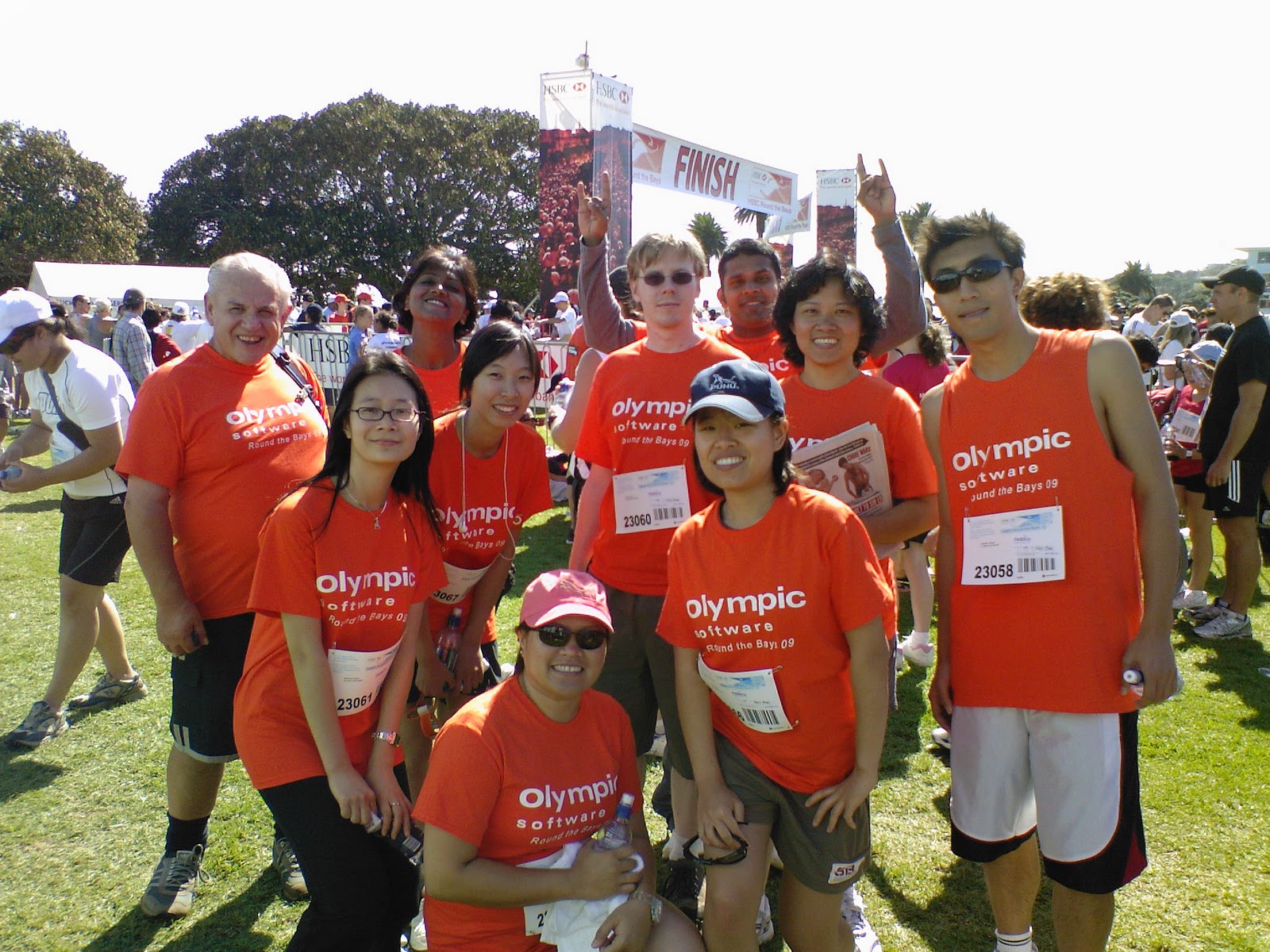
There was a big push to get everyone in the office ready for Round the Bays. In 2009 we had a fair turnout of around 10. But in 2010 we had a whopping 20! We went for Running Bunch twice a week, even though there weren't too many most of the time.


ITM and QV

My last projects were Projects for the above clients. Gained lots more experience in development :) Got experience with Test Driven Development, learnt some MVC.NET, some .NET forms web development, played around with JQuery, Javascript, CSS, and did some Win Forms development.

Joseph's Great Wall of Coke

Joseph drinks some 3-4 cans of coke a day, and after 3 odd years had accumulated quite a collection. He took them down to build a wall on his last day. Then proceeded to bust it down.


Final Words

I really hope that I have had some impact on the company or the team I worked with. Perhaps brought up morale when it was low, or just made people laugh when there was nothing to smile about. If nothing else, I have left my CubeeCraft guys there :D

Tuesday, June 22, 2010

Braces Off!

Yessss can finally chew gum again!!!!11

Wednesday, June 16, 2010

Can't Touch This - All Whites draw Slovakia

Check out this video which shows the two goals...